Version 1.0 is out · Windows 10 / 11

Hand the idea to AI.
Keep the code on your PC.

Zhizhi is an AI coding assistant that runs on your own computer. Describe what you want in plain language — it reads your project, edits code and runs commands. Bring your own model API key; your conversations and code never pass through our servers.

No sign-up or sign-inBring your own model keyData stays on your PC
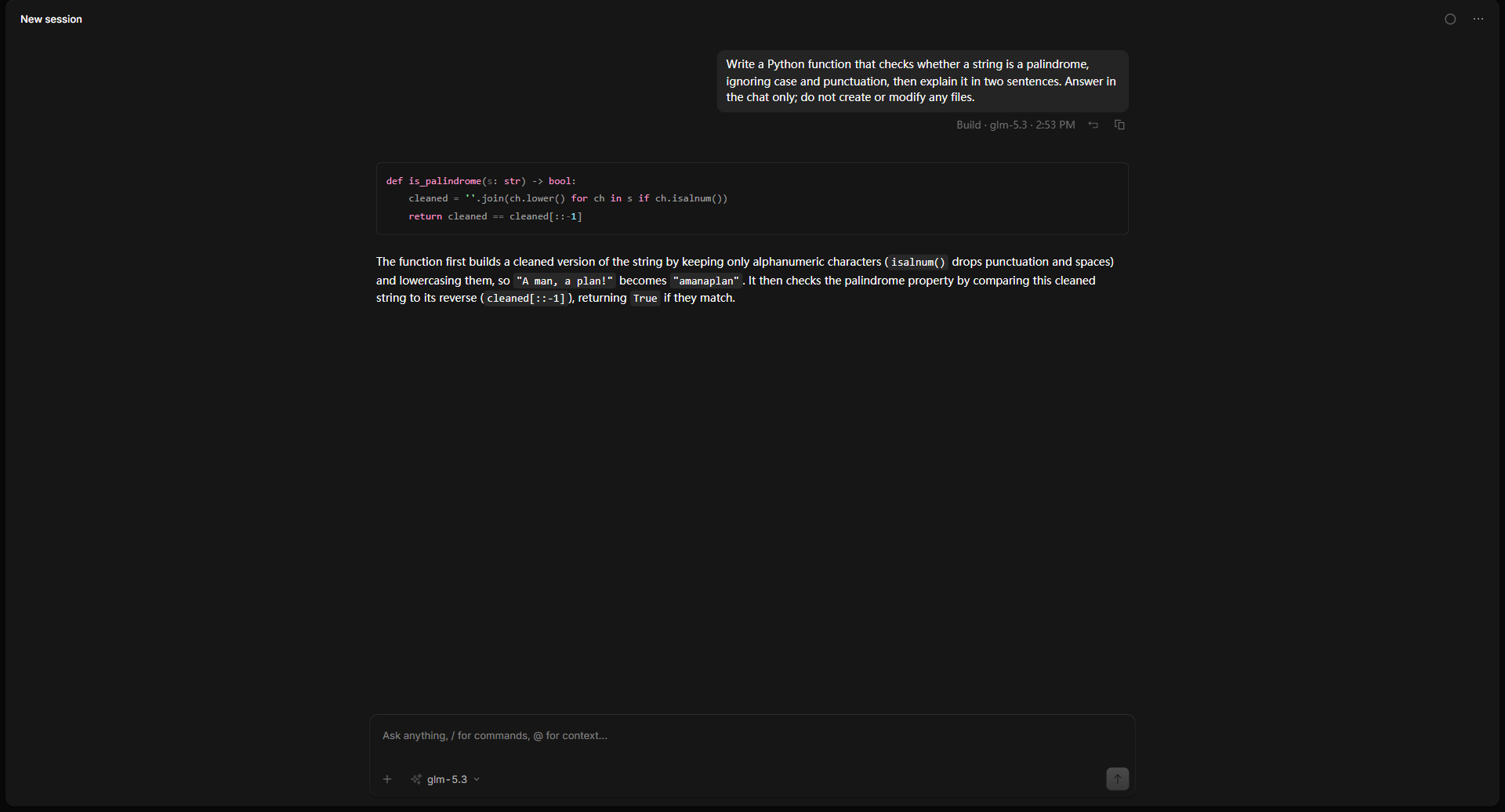
Zhizhi
Zhizhi's interface: writing and explaining code in one conversation
Bring your own model

Connect the provider you already use

Zhizhi isn't tied to any one model. Pick a provider you have an account with, paste its key, and switch whenever you like.

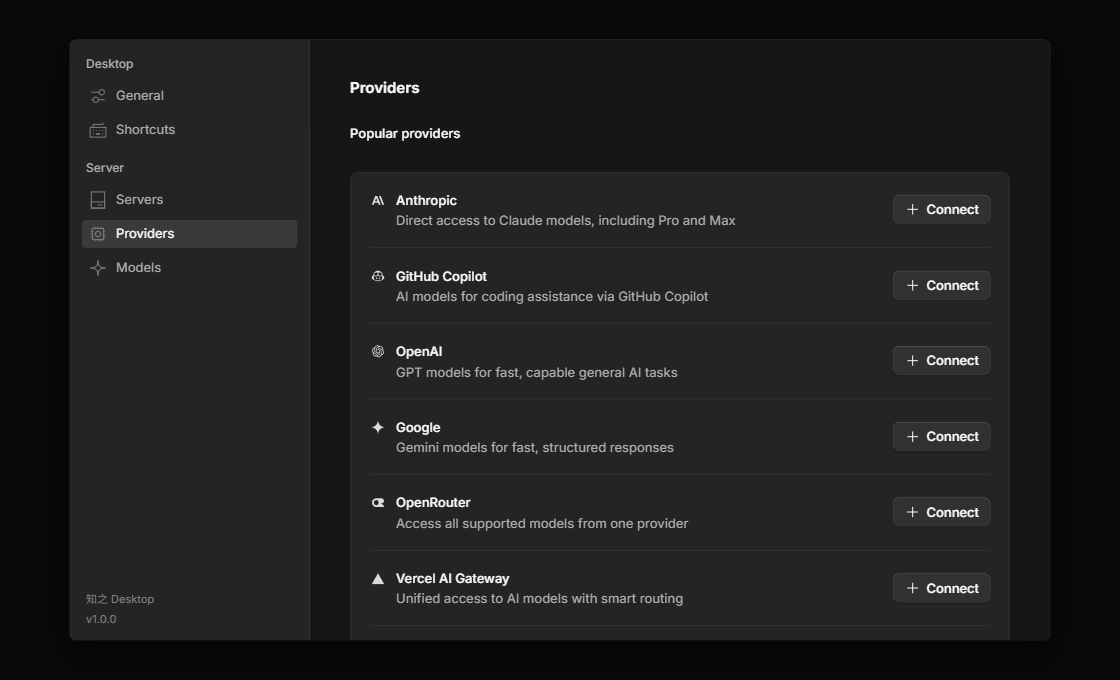
OpenAIAnthropicGoogleOpenRouter DeepSeekAlibaba CloudZhipuMoonshot Volcano EngineSiliconFlowCustom (OpenAI-compatible)70+ providers
Features

From request to result, in one conversation

Not just autocomplete. Zhizhi understands your project like a teammate and gets the work done.

Conversational coding

Describe what you need in plain language. The agent reads files, edits code and runs commands inside the project you choose.

Reviewable changes

Every file edit is shown as a diff, so you can see exactly what changed and where.

Multiple projects and sessions

Run several sessions across different folders at once. History is stored on your PC, so you can pick up where you left off.

Built-in terminal

See and run commands without switching windows. Build and test output stays right beside the conversation.

Confirmation first

By default it asks for your approval before running a command or modifying a file. You stay in control.

Follows the system proxy

Providers that need a proxy just work: Zhizhi automatically uses your Windows proxy settings.

How it works

You describe it, it does the work

It reads the context first, then plans, edits and verifies — and shows you every step.

  • 1
    Understand the projectReads the relevant files and directory structure, so you don't have to paste code.
  • 2
    Make the changeEdits files with your permission, presented as diffs.
  • 3
    Verify itRuns tests or build commands and reports the results along with its conclusion.
Example workflow

You Add rate limiting to the login endpoint: return 429 after 60 requests per minute

Zhizhi Sure — let me look at the existing routes and middleware first.

 ◆ Read src/routes/login.js

 ◆ Read src/middleware/index.js

 ◆ Edit src/middleware/rateLimit.js +24 −0

 ◆ Run npm test ✓ 12 passed

Zhizhi Added a rate-limit middleware and wired it into the login route, plus 3 new tests. All passing.

An illustration of the workflow. Real results depend on the model and project you choose.

Settings · Providers
Zhizhi's provider settings
Flexible

Your model, your choice — switch any time

Use different models for different tasks. You and the provider settle the cost directly; Zhizhi adds no markup and takes no cut.

Read the help guide →

Privacy & security

Your code, your call

Zhizhi has no relay servers and no account system. It's a program that runs on your computer.

Data stays on your PC

Conversation history, settings and API keys are stored only on your computer. We can't access them.

Direct to your provider

Requests go straight from your PC to the model provider you chose — not through our servers. We don't collect your conversations or code. When you use web search, the search keywords are sent to a third-party search service.

You control permissions

By default it asks before running a command or modifying a file. Change this any time in Settings.

Read the full Privacy Policy →
Get started

Up and running in three steps

01

Download and install

Open Zhizhi after installing; a welcome guide appears on first launch.

02

Connect a provider

Choose one you have an account with and paste its API key.

03

Say what you need

Describe the task in the message box and let it get to work.

Start using Zhizhi today

Free to download. All you need is an API key from a model provider.

Microsoft Store version recommended: no security prompt, automatic updates. Direct download: 1.0.2 · about 127 MB · Windows 10 / 11 (64-bit)
SHA256 943581ce1a5edc830b02b78b8ff6fcdae190a6f15e9323bd557cb4ee9661c7c6
Windows says “Windows protected your PC” when installing?

Installing from the Microsoft Store avoids this notice. For the directly downloaded installer, Windows SmartScreen treats it as newly released software. Click “More info”, then “Run anyway”. To confirm the file hasn't been tampered with, run Get-FileHash <path to installer> in PowerShell and compare the result with the SHA256 above.

FAQ

Good to know

What's the difference between the Microsoft Store version and the direct download?

The features are identical. The Microsoft Store version shows no SmartScreen prompt and is updated automatically by the Store; the direct download suits environments without the Microsoft Store, and you can verify its SHA256 checksum on this page. Both share your conversation history and API keys — don't run them at the same time.

Is Zhizhi free?

The software is free to download and use. The cost of the models you use is settled directly between you and the model provider; Zhizhi takes no part in it and adds no markup.

Are my code and conversations uploaded to your servers?

No. Zhizhi has no relay servers, and we don't collect your conversations, code or API keys. Your prompts, and any content you ask the agent to read, are sent to the model provider you choose — please review that provider's terms. See the Privacy Policy.

Will it modify my files and run commands?

Yes — that's its purpose. By default it asks for your approval before running a command or modifying a file. Be careful with “Auto-accept permissions”, and back up important files or keep them under Git.

Which models are supported?

70+ providers, including OpenAI, Anthropic, Google, OpenRouter, DeepSeek, Alibaba Cloud, Zhipu, Moonshot, Volcano Engine and SiliconFlow, plus any OpenAI-compatible endpoint you configure.

Can it search the web for real-time information (like the weather)?

Yes. When it needs current information it uses web search, and the search keywords are sent to a third-party search service, Exa, which may require a proxy from some networks. See the Privacy Policy.

Do I need an internet connection or a proxy?

You need internet access to reach your model provider. If your network requires a proxy, Zhizhi automatically uses the Windows system proxy (HTTP and SOCKS proxies are supported). Changes to your proxy settings take effect immediately; no restart needed. If your proxy software quits or its server stops responding, Zhizhi connects directly, and providers in mainland China are reached directly first.

Is the interface available in English?

Yes. The interface supports many languages, including English and Chinese. Change it in Settings → General → Language.

Does it support macOS or Linux?

Not yet. For now Zhizhi is available for Windows 10 / 11 (64-bit) only.

Something went wrong. What now?

Start with the Help guide. If that doesn't solve it, email info@zzxytech.com with your Windows version, your Zhizhi version and a screenshot of the problem.